
Free call recorder and AI meeting notes for Mac
Digisensus Recorder is a free, open-source call recorder and AI meeting note taker for Mac. It records Zoom, Google Meet, Microsoft Teams, FaceTime, WhatsApp and phone calls with no bot joining the meeting. Transcripts show who said what, and AI meeting notes list the decisions and next steps.
Free · macOS 15 Sequoia or later · Apple silicon · Notarized by Apple
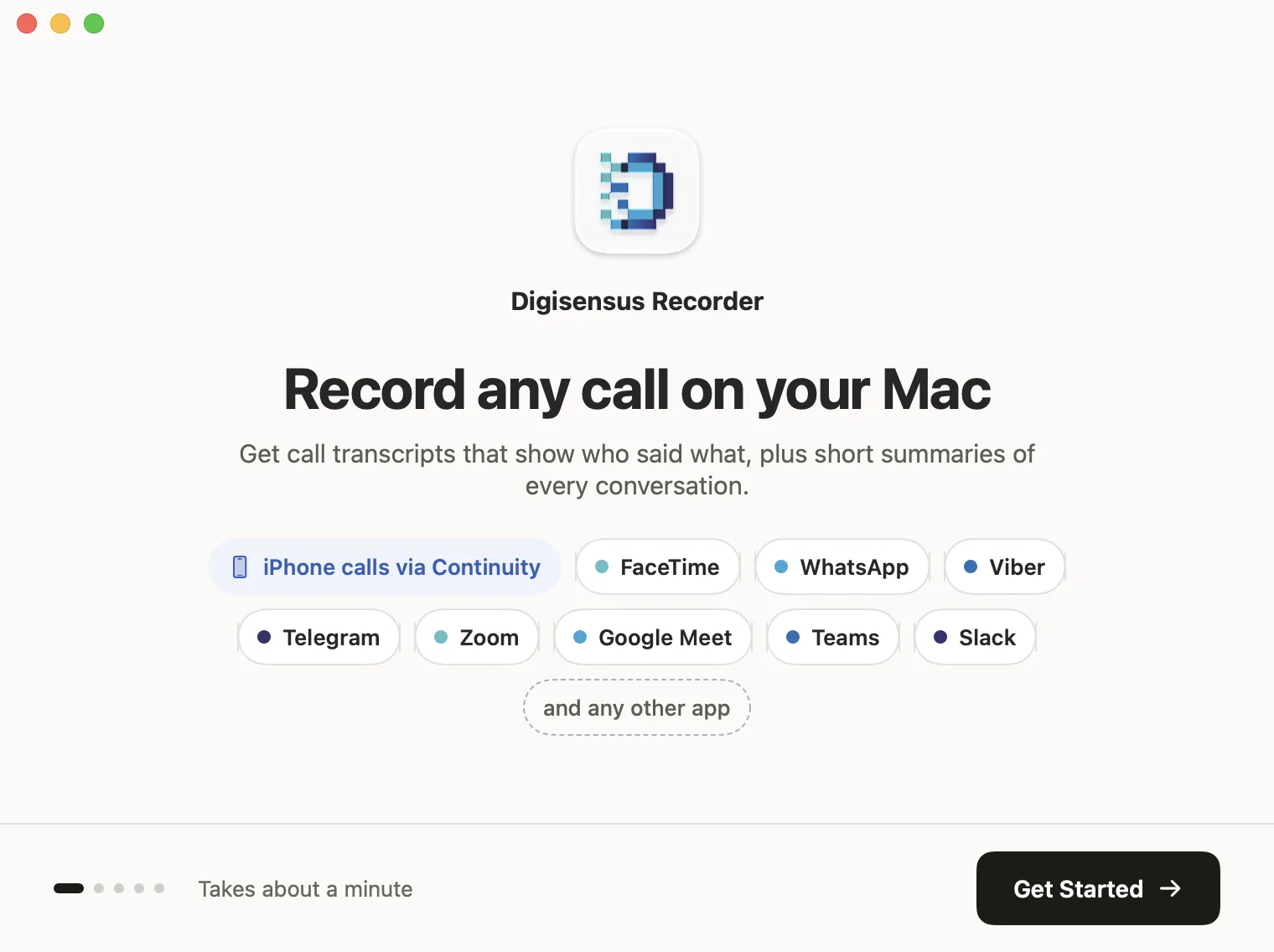
A call recorder for Mac that records every call, with no bot and no fuss
Records any call
Zoom, Google Meet, Microsoft Teams, FaceTime, WhatsApp, Viber, Telegram, Slack and any other app, plus iPhone calls answered on your Mac through Continuity.
No meeting bot
It records the audio on your Mac, so no notetaker joins the call and nobody sees an extra participant. It works for any call, not just scheduled meetings.
Starts and stops with your call
Auto-record begins when a call starts and ends when you hang up, with a banner and a Stop button so you always know. Nothing is captured between calls.
Private, on your Mac
Audio only, never the screen. Recordings stay in a folder on your Mac, and nothing is uploaded unless you choose to transcribe.
Transcripts and AI notes when you want them
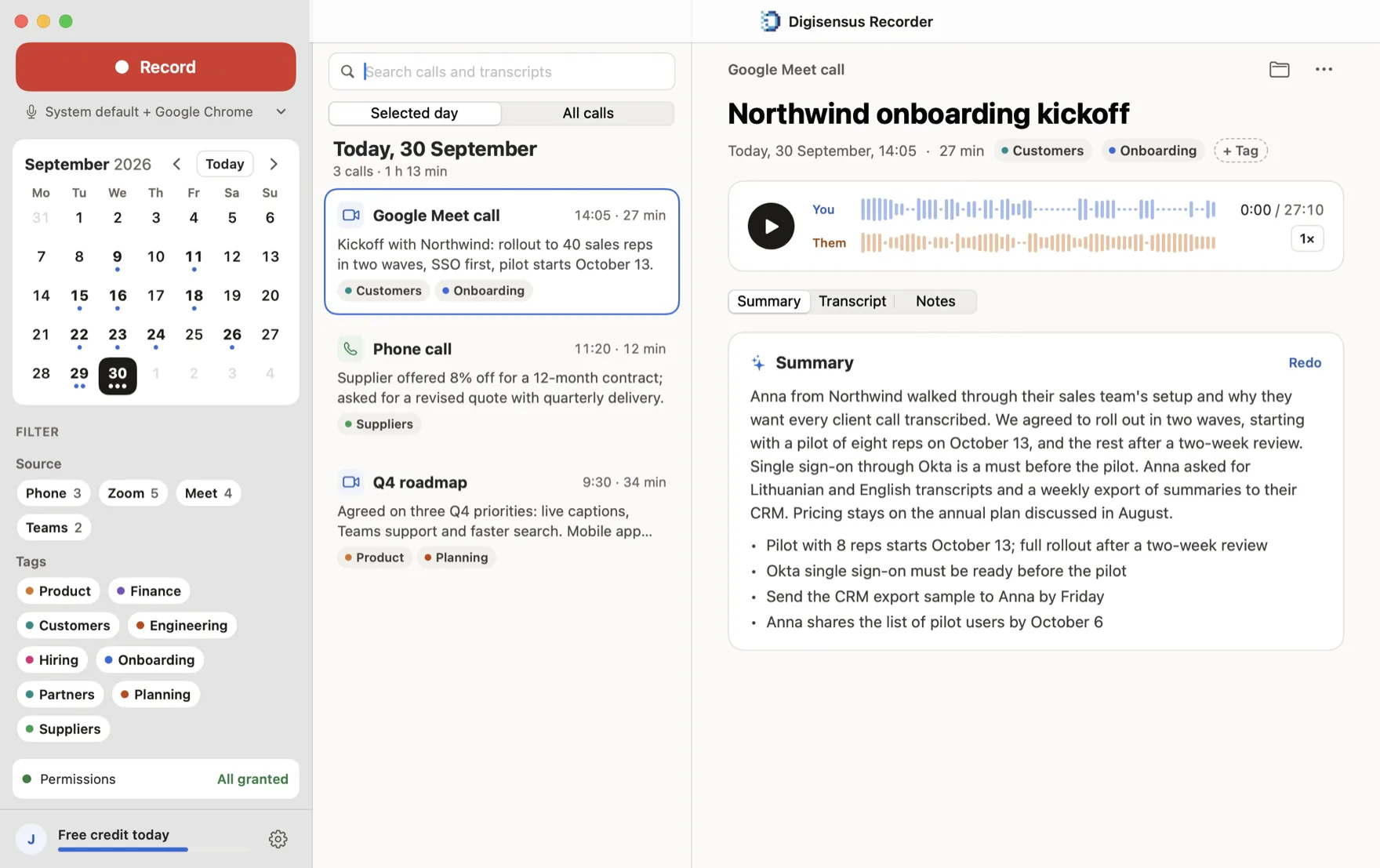
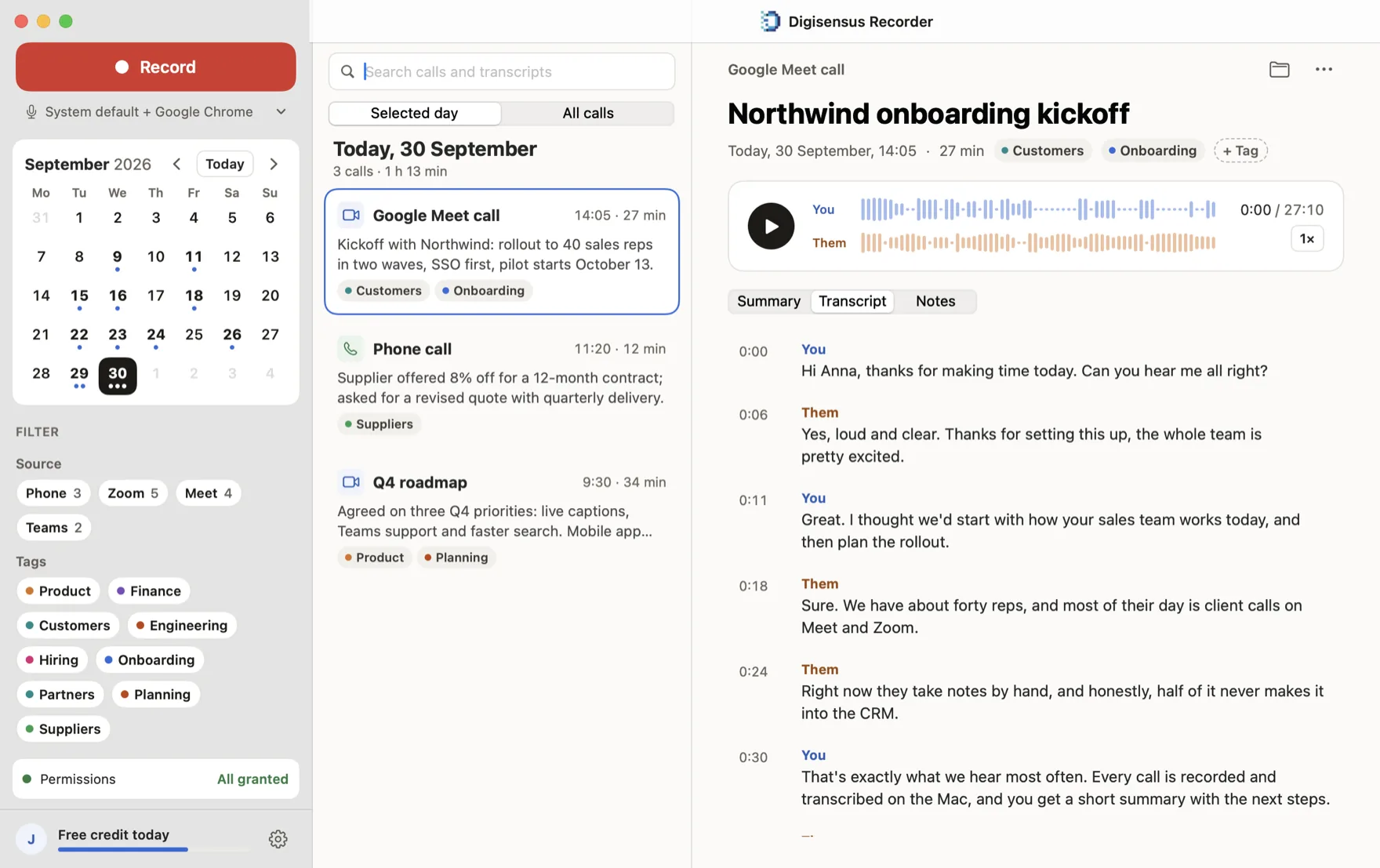
Transcripts show who said what, and summaries list decisions and next steps. Use a Digisensus account with free daily credit, your own AI service, or no AI at all.
Every call, organised
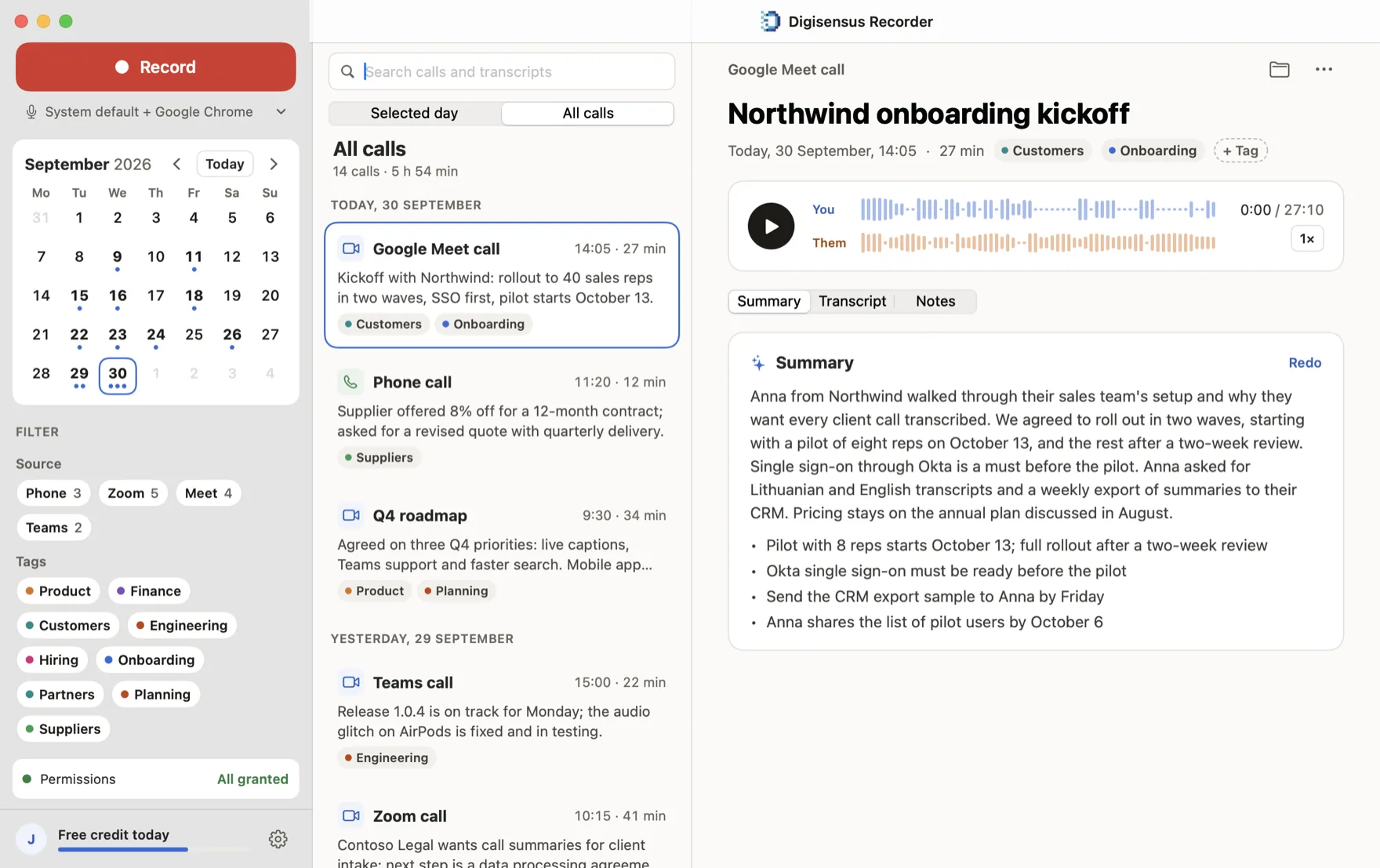
Browse by day in the calendar, filter by app or tag, search every transcript, and keep your own notes on each call.
Works with AI agents
The built-in command-line tool and MCP server let Claude Code, Codex and other agents search, export and summarise recordings. Off until you turn it on.
See it on your Mac
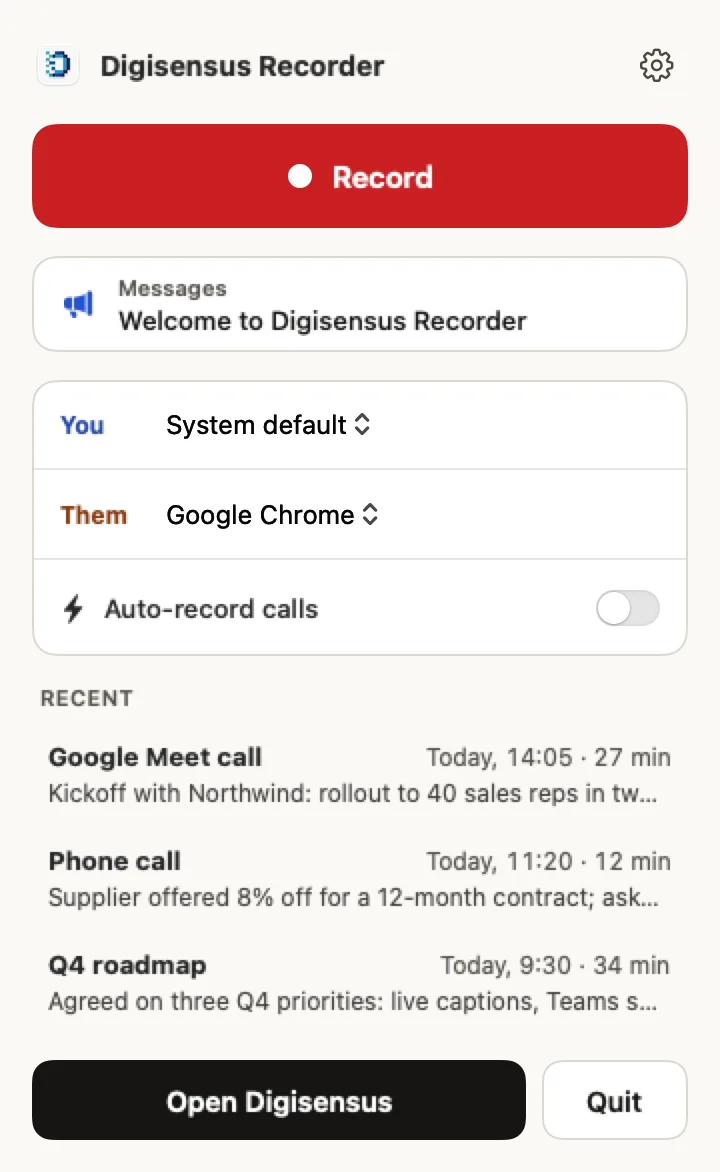
Set it up once, in about a minute
Install and allow two permissions
The microphone for your side, system audio for the other side. A five-second test shows that both work.
Your calls record themselves
With auto-record on, each call is recorded from the moment it starts until you hang up. Or press Record in the menu bar.
Read the transcript and notes
See who said what, the decisions made and the next steps. Find any call again later with search.
Free and open source
Digisensus Recorder is licensed under the GNU General Public License version 3. Read every line, build it yourself, and point it at your own transcription server. An open source alternative to Granola, Otter.ai and Fireflies.
Questions about recording calls on a Mac
How do I record calls on a Mac?
Install Digisensus Recorder and allow the microphone and system audio permissions. With auto-record on, it records every call as it starts and stops when you hang up. You can also press Record in the menu bar at any time.
Can it record FaceTime, WhatsApp and phone calls on a Mac?
Yes. It records FaceTime, WhatsApp, Viber, Telegram, Zoom, Google Meet, Microsoft Teams, Slack and any other app that plays call audio on your Mac or MacBook. iPhone phone calls are recorded when you answer them on your Mac through Continuity.
Is it a bot-free meeting recorder?
Yes. No notetaker bot joins your Zoom, Meet or Teams call. The app records the audio on your Mac, so nobody sees an extra participant, and it also works for calls that aren't scheduled meetings.
Is there an open source alternative to Granola, Otter.ai or Fireflies?
Digisensus Recorder is free and open source under the GPL. Like them, it gives you transcripts and AI meeting notes. It also records any call, not just meetings, keeps the recordings on your Mac, and lets you use your own transcription server.
Where are my recordings stored?
On your Mac, as Ogg Opus audio files in ~/Music/Digisensus Recorder. Nothing is uploaded unless you ask for a transcript. Transcription runs on the Digisensus service or on an OpenAI-compatible server you choose, which can be one running on your own Mac.
Is it free?
Yes. Recording is free with no account. Transcripts and summaries through a Digisensus account come with free daily credit, or you can use your own AI service instead.
Which Macs does it run on?
macOS 15 Sequoia or later, on a Mac with Apple silicon (M1 or newer). The app is notarized by Apple and keeps itself up to date.
How does Digisensus Recorder compare to Granola, Otter.ai, Fireflies.ai and Fathom?
All five write AI meeting notes and work with AI agents. Digisensus Recorder is the only one that is open source, keeps recordings on your computer and lets you use your own AI server. It also starts recording FaceTime, WhatsApp and phone calls by itself, without a bot. Granola, Otter.ai, Fireflies.ai and Fathom offer Windows and mobile apps, which Digisensus Recorder does not. Compared on 30 September 2026; see the table below.
Is it legal to record calls?
Recording laws differ between countries and states. Telling others that the call is being recorded, and getting their consent where required, is up to you.
Digisensus Recorder vs Granola, Otter.ai, Fireflies.ai and Fathom
All five write AI meeting notes and work with AI agents. Digisensus Recorder is the only one that is open source, keeps recordings on your computer and lets you use your own AI server. It also starts recording FaceTime, WhatsApp and phone calls by itself, without a bot. Granola, Otter.ai, Fireflies.ai and Fathom offer Windows and mobile apps, which Digisensus Recorder does not.
Compared on
| Feature | Digisensus Recorder | Granola | Otter.ai | Fireflies.ai | Fathom |
|---|---|---|---|---|---|
| Free plan | Yes. Unlimited recording; AI with free daily credit or your own service | Yes. Notes kept for 30 days | Yes. 300 minutes a month, 30 per conversation | Yes. Limited transcriptions and AI credits | Yes. Unlimited recording; 5 advanced AI summaries a month |
| Cheapest paid plan | Free | $14 per user a month | $8.33 a month billed yearly, $16.99 monthly | $10 a month billed yearly, $18 monthly | $16 a month billed yearly, $20 monthly |
| Open source | Yes. GPL-3.0 | No | No | No | No |
| Records without a meeting bot | Yes. Always records on your Mac | Yes. Always records on your device | Yes. In the desktop app; its bot joins calendar meetings | Yes. In the desktop app, or send its bot | Partly. Bot-free capture is in beta, Mac only |
| Records FaceTime, WhatsApp and phone calls | Yes. Any app, plus iPhone calls answered on your Mac | Yes. Any app's audio; outgoing phone calls on iPhone | Partly. Detects WhatsApp and dialer apps; phone calls only as imported files | Yes. WhatsApp, FaceTime, Discord and phone calls in the desktop app | No. Zoom, Google Meet, Teams and Slack huddles only |
| Starts recording by itself | Yes. When a call starts, and stops when it ends | Partly. Detects meetings; you click to start | Yes. Bot joins calendar meetings; the desktop app can auto-record | Partly. Bot joins calendar meetings; the desktop app needs a click | Yes. Scheduled meetings |
| Recordings stay on your computer | Yes. Nothing is uploaded unless you transcribe | No. Notes in the US cloud; audio is not kept | No. Recordings in the US cloud | No. US cloud | No. Recordings in the US cloud |
| Use your own AI model or server | Yes. Any OpenAI-compatible server, even one on your Mac | No | No | No | No |
| AI summaries and action items | Yes | Yes | Yes | Yes | Yes |
| Works with AI agents (MCP) | Yes. Built-in MCP server and command line, on your Mac | Yes. MCP server | Yes. MCP server | Yes. MCP server | Yes. MCP server and API |
| Apps | macOS 15 or later, Apple silicon | macOS, Windows, iOS, Android | macOS, Windows, iOS, Android, web | macOS, Windows, iOS, Android, web | macOS, Windows, web |
Sources
- Digisensus Recorder: github.com/Digisensus/digisensus-recorder
- Granola: www.granola.ai/pricing
- Granola: www.granola.ai/security
- Granola: docs.granola.ai/help-center/taking-notes/transcription
- Granola: docs.granola.ai/help-center/taking-notes/notifications
- Granola: docs.granola.ai/help-center/sharing/integrations/mcp
- Otter.ai: otter.ai/pricing
- Otter.ai: help.otter.ai/hc/en-us/articles/35973988280215-Otter-Desktop-App-Mac-Windows
- Otter.ai: help.otter.ai/hc/en-us/articles/37814850589975-Record-and-transcribe-a-phone-call
- Otter.ai: help.otter.ai/hc/en-us/articles/360048258953-Data-security-and-privacy-policies
- Otter.ai: help.otter.ai/hc/en-us/articles/35287607569687-Otter-MCP-Server
- Fireflies.ai: fireflies.ai/pricing
- Fireflies.ai: guide.fireflies.ai/articles/6666374717-how-to-record-meetings-without-a-bot-on-the-fireflies-desktop-app
- Fireflies.ai: guide.fireflies.ai/articles/1208704416-getting-started-with-the-fireflies-desktop-app
- Fireflies.ai: guide.fireflies.ai/articles/9596505232-learn-about-data-storage-and-transfer
- Fireflies.ai: docs.fireflies.ai/getting-started/mcp-configuration
- Fathom: www.fathom.ai/pricing
- Fathom: www.fathom.ai/whats-new
- Fathom: help.fathom.video/en/articles/449088
- Fathom: help.fathom.video/en/articles/296512
- Fathom: www.fathom.ai/integrations/claude
Product names are trademarks of their owners. Plans and features change; tell us at saulius@digisensus.com if something here is out of date.
Record your next call
Free · macOS 15 Sequoia or later · Apple silicon · Notarized by Apple